Images

Late 2013 MacBook Pro owners reporting multiple issues

A great number of consumers are still experiencing significant problems with MacBook Pro Retina laptops purchased in the latter part of this year. While at first it seemed that the only issues were with displays, it’s now become apparent that the problems stretch beyond that.

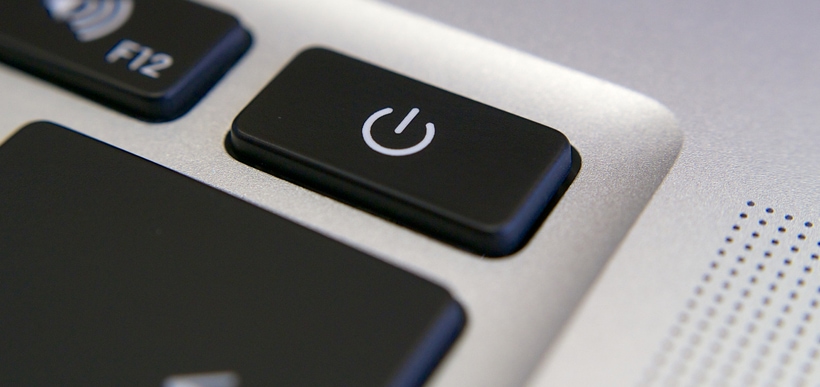
Many users in an astounding 112-page Apple support thread are reporting that their keyboards and trackpads lock up randomly during a wide variety of tasks, making it difficult to pinpoint the cause of the trouble. Performing a hard reset through the power button is the only temporary fix known right now for this frustrating error. Furthermore, it’s not yet been determined whether such lockups are a hardware or software-related issue.

Others have discovered issues while using BootCamp to install Windows 8 or 8.1. An additional 15-page support thread documents repeated occurrences of freezing and copying errors when attempting to perform the installation through USB, DVD or via an external device such as a SuperDrive. There is some indication that tweaking certain settings within BootCamp may solve the issue, but the consistently growing thread of MacBook Pro Retina users experiencing it is hard to ignore.

As if the freezing and BootCamp woes weren’t enough, yet further purchasers of late-model MacBook Pro Retina computers have reported low battery life, fans speeding up and slowing down at unexpected times and other overall stability problems. These matters, of course, are all in addition to the main trouble with the laptops: major display defects.

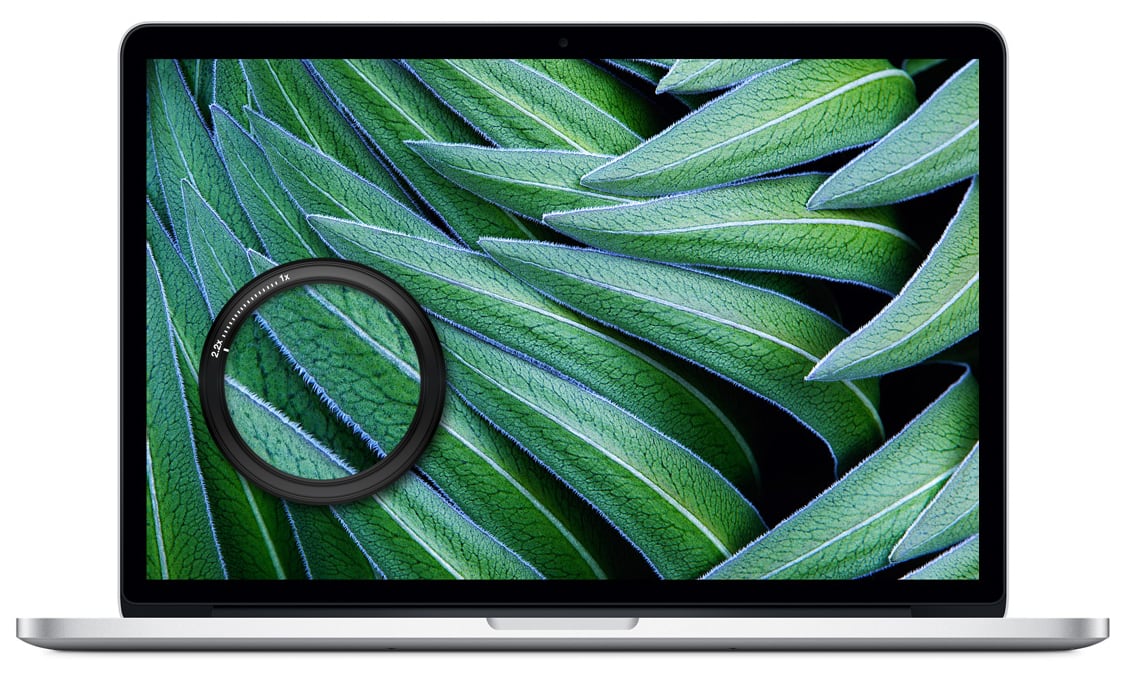
Primarily seen in models with displays supplied by LG, the affected MacBooks have issues with ghosting and burn-in on their screens as well as other graphics defects. Unfortunately, recent reports now suggest that a few of the laptops with alternate Samsung displays are experiencing problems, too.
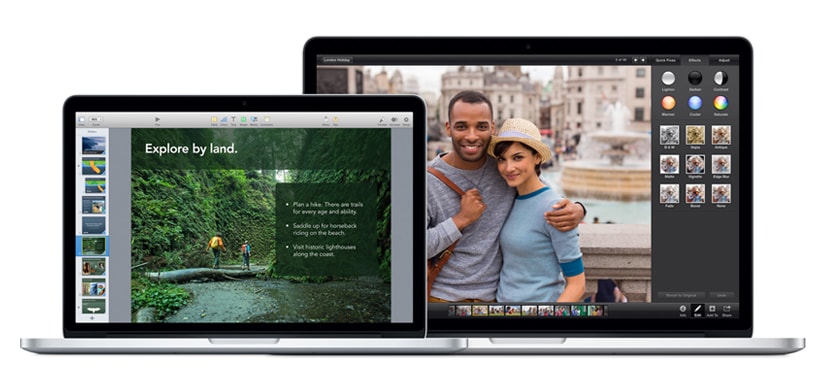
Late 2013 MacBook Pro with Retina Display
Retina Display of the Late 2013 MacBook Pro

What’s to be done about the repeated problems with the MacBook Pro Retina computers? Nobody is quite sure. An official statement has yet to be put forth, and Apple retail store employees are often ill equipped to handle the myriad of problems. Up until now, the unofficial policy seems to be to replace the notebooks until the affected consumers end up with one that works – usually one with a Samsung display. However, for some people that means setting up and consequently having to replace computers upwards of nine times, leaving it up to the luck of the draw.

Nothing is perfect, and it would be unreasonable to assume that Apple would never produce a product with flaws. However, they do tend to have an above average record of releasing highly quality tech that’s as functional as it is beautiful. The stability of Mac computers and other Apple devices have earned them millions of repeat purchasers who are loyal to such as extent that they’ve helped shape Apple from a computer company to a cultural icon. That’s why having such significant issues such as those with the MacBook Pro Retina, not to mention being less-than-speedy with a solution, stands out.

Apple could help themselves and the consumers who have purchased the defective laptops by developing a clear policy on how they’ll handle the problems going forward. It would best be aided by providing those instructions to Apple stores and licensed resellers worldwide. Furthermore, they should also identify what the primary sources of the troubles are and what will be done differently with future models of MacBook Pro Retinas to avoid additional, similar issues.

The longer the company lingers without nipping this problem in the bud, the worse it becomes. While long-time Mac enthusiasts will likely stick with the company through the frustration, it is possible that newcomers will be put off by it.

No game-changing products for Apple since Steve Jobs

Apple’s latest event was promoted with invitations stating, “we still have a lot to cover.” Judging by the wide range of topics and products they touched on during the press conference, it certainly wasn’t false advertising. It wasn’t, however, terribly exciting, either.

While the new iPad Air and revamped iPad Mini have received the majority of the attention from consumers and tech experts alike, Apple executives made a number of smaller announcements as well. Foremost after the iPad news is the fact that the new Mavericks operating system is available, and it’s free. Any Apple user with a system capable of handling the latest OS is able to download it, at no cost, from the Mac App Store. In addition, the iWork and iLife suites of applications have been upgraded considerably, and updates for them are also available on the App Store and iTunes Store at no additional cost.

Though the latest series of Apple announcements have further established the computing giant as a provider of premium hardware with prices to match, such as the soon-to-be-released $3000 Mac Pro desktop and $799 iPad Air, it has also dropped prices in other instances. Apple slashed prices on older iPad models, in what many are calling an attempt to compete with the lower-cost Amazon, Google and Microsoft tablets. Furthermore, the prices for MacBook Pro laptops are being discounted by $200.

Despite a myriad of interesting announcements, some in the tech world have felt that the latest Apple event lacked focus. It covered a lot of ground, but there were no significant revelations in any one category. Even the upgrades to iPads and apps were expected, and in line with recent developments from Apple’s competitors. They’re good, but they aren’t terribly exciting or innovative.

If it wasn’t apparent already, the most recent Apple event solidified the fact that the company, while still great, isn’t the same without Steve Jobs. This is not the same Apple that changed the world with the iPhone and shook up consumers and technological rivals with the iPad. While developments such as Thunderbolt and Mavericks are great, they aren’t earth shattering. Still, because we all remember the early days of the iPhone and the eagerness to line up overnight and be the first with the new Apple gadget, we continue to hope that each next product release will be “the big one” again.

Items such as the iPad Mini with retina display or iPhones with Touch ID are fantastic. Despite expected low fourth quarter earnings, the iPhone 5s has been a bestseller, and reportedly 200 million devices are running iOS 7. Apple is arguably the most valuable public company in the world. Unfortunately, recent products have failed to create excitement and capture hearts like earlier Apple tech did. While the company will steadily continue, in many smaller ways, to shape cultural and technological trends, it will take a major product release like the fabled iWatch or even a significant update to an existing product, such as an infrared keyboard, to really get the world buzzing about Apple again.

Apple fans rejoice over iPad Mini display and new iPad Air

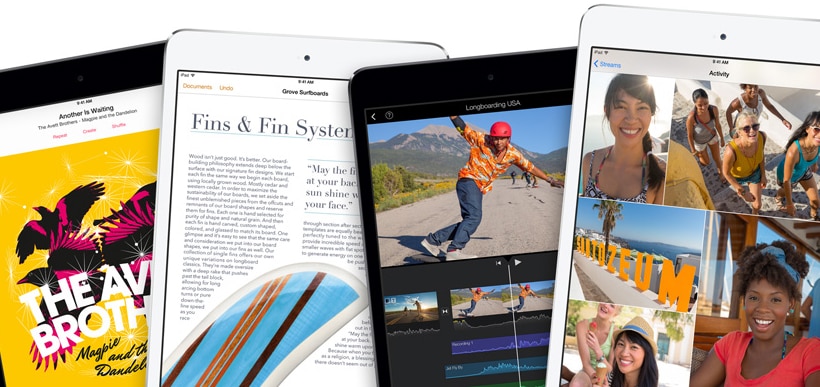
Apple’s latest announcement event revealed many new developments, but none more prominent than the changes to the iPad and iPad Mini. Just in time for the holiday shopping season, the tech giant has come out with a revamped, renamed full-size tablet as well as an upgraded miniature version.

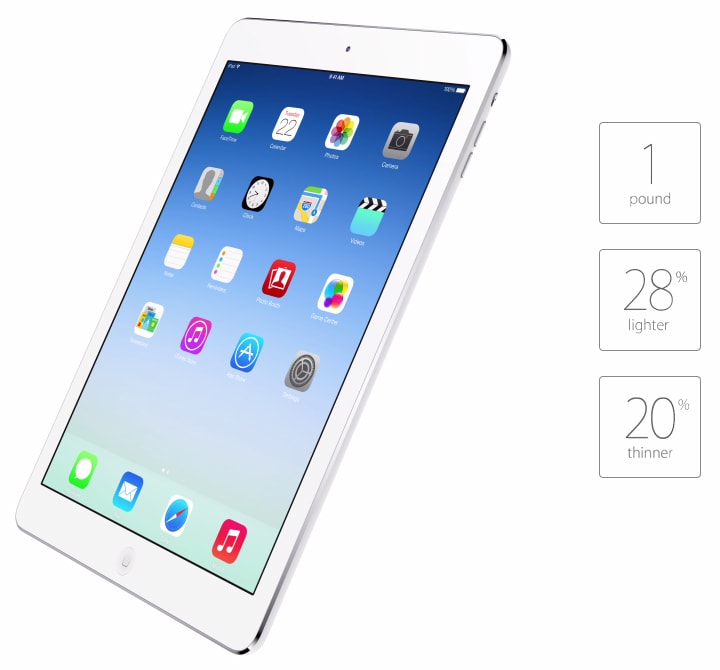
The latest-generation iPad, now called the iPad Air, is thinner and lighter than ever. At a mere 7.5 mm thick it’s 20% more svelte than the previous model. For those who recall how compact the first iPad seemed, just a few years ago, the iPad Air makes it seem like a cinder block in comparison.

Apple iPad Air
Apple iPad Air – Thinner and Lighter

Other features that make it the iPad Air awesome on the outside include its brilliant 9.7-inch retina display and choice of colors – consumers can choose whether they want a silver and white model or a space grey and black one.

But it’s not just pretty to look at. The iPad Air is also, of course, faster and more powerful than the last iPad. Taking a cue from the stunning iPhone 5s, it features the incredible A7 chip and M7 co-processor with 64-bit architecture. Whether you commonly use your iPad to watch Netflix, play the new CSR Classics or edit iWork documents, this makes it the ultimate, portable media centre, gaming console and on-the-go work machine.

Other updates for the latest iPad include a 5 MP iSight camera, which can shoot 1080P quality video, and MIMO technology, which includes multiple antennae in the iPad Air for improved Wi-Fi reception.

At $499 for a 16GB Wi-Fi-only model, $629 for a 16GB Wi-Fi and cellular edition or $799 for the brand new 128GB one, the new iPad Air isn’t cheap. However, the updates increase its computing power and make it a realistic alternative to a laptop for ultra-portable computing.

Apple has overhauled the handy little iPad Mini, too. Though not as powerful as the iPad Air, or even the new iPhone 5s, it has been upgraded to feature a 64-bit A5 processor. Consequently, it’s four times faster than its predecessor. It also has eight times the graphics capabilities.

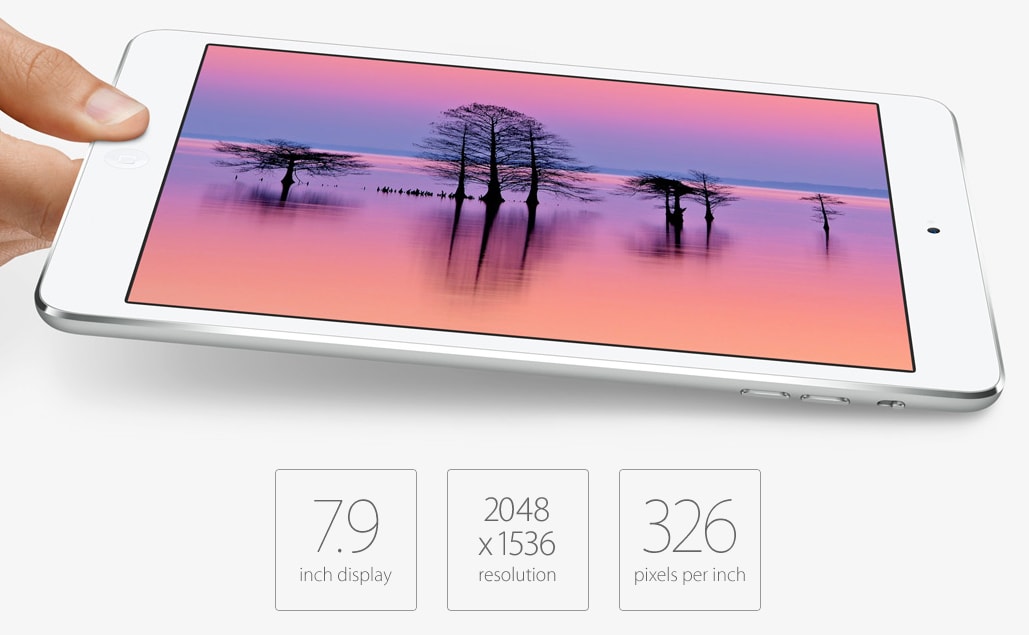
Apple iPad Mini with Retina Display
Apple iPad Mini now with Retina Display

With a 7.9-inch retina display, 5 MP, 1080P iSight camera and 10 hours of battery life, the iPad Mini is no slouch. In fact, it may become the common option for the average consumer who’s after a tablet to play games and check Facebook on but doesn’t require something as powerful and expensive as the iPad Air.

At $329 for a 16GB Wi-Fi-only model or $529 for one that also includes cellular, the iPad Mini is easier on the wallet than the iPad Air. With its upgraded technology and lower price point, it’s likely to become a hot seller this holiday season. Whether you have a technology fanatic in the family, or even just someone who’d appreciate an e-reader that can do more than just store and display books, the iPad Mini is a popular choice.

While the iPad updates that did come out of Apple’s latest event were certainly buzz-worthy, there were a few rumored announcements that never got made. Among them was the noticeable lack of a gold iPad to coordinate with the gold iPhone 5s. More importantly, however, there was no upgrade to fingerprint-sensing Touch ID on the iPads just like the new iPhone 5s. Furthermore, many tech experts expected Apple to come out with smart covers that contain keyboards, similar to the Surface tablet, but those were skipped over as well.

Perhaps Touch ID and other updates that were missed this time will be included in the next iteration of the iPad. Regardless, the iPad Air and new iPad Mini are sure to have people lining up outside Apple stores worldwide very soon.

How to increase iOS 7 battery life

iOS 7. Many iPhone users love it, and a few can’t stand it. The initial hype has now passed and the overwhelming, system clogging downloads of the new iOS are largely done. iOS 7 comes with many changes. A new interface, apps designed especially for it, and even handy features like a flashlight. However, many of us are discovering something else that iOS 7 came equipped with – a distinct ability to suck the life out of our iPhone batteries.

If you’ve noticed your battery power dropping at an alarming rate, there are a few tweaks you can make within your iPhone settings that will help you improve the life of your battery. Quick and simple to set up, they will make a marked improvement in your ability to text, tweet, upload photos and play Angry Birds to your heart’s content, without carrying your phone charger everywhere you go.

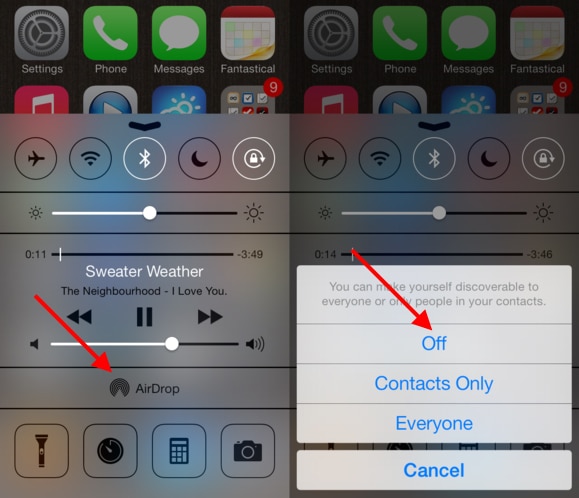
1. Turn off AirDrop

Unless you really need it, which many iPhone users don’t, shutting down AirDrop is a great way to conserve power. Stop your iPhone from constantly searching for others nearby and you’ll notice your battery life improve.

How to turn off AirDrop

2. Turn off Wi-Fi searching

Do you really need to constantly be searching for wireless networks everywhere you go? This may be useful on vacation, when you want to check your Facebook and email without paying the exorbitant cost associated with data roaming. Otherwise, all it is is a drain on your power.

3. Disable apps from refreshing in the background

Like AirDrop and Wi-Fi searching, this is another sneaky feature that runs on your iPhone and uses up the battery. Tweaking your notification settings for your specific needs will help you stay on top of the latest information through your apps of choice without wasting battery life. There are few instances where having your apps constantly refreshing in the background will actually be essential.

4. Turn off unneeded notification settings

As mentioned in number 3, they can be set up the way you prefer. Once you’ve shut off your iPhone’s background app refresh, take a look at your notifications centre and shut off anything that you don’t really use. Like the default Stocks app.

5. Turn off Siri’s “raise to speak” feature

Fans of the virtual assistant should note that this doesn’t mean shutting Siri off completely. Rather, you’re just disabling the feature that activates Siri each time you raise your phone to your face. If you need Siri, she’s there for you. Not prompting her every time you raise your phone to your mouth can help your battery last quite a bit longer.

6. Swap to Airplane Mode

If you know you’re in a location with terrible reception or where you won’t otherwise be able to take calls, this is an ideal way to save battery power. You can even turn Wi-Fi on while you’re in Airplane Mode, which means you can preserve the life of your battery without missing important emails or tweets.

7. Turn down the brightness setting

By dimming your screen even slightly, you can use less power and enjoy extended battery life throughout the day. There are few situations that genuinely require brightness to be up full blast. If you’re not in one of them, dim the lights a little and your battery won’t run out so fast.

Running out of battery power throughout the day or being a slave to your charger is annoying, but by spending a few minutes configuring the settings in your iPhone, your battery life is sure to improve significantly. It is possible to enjoy all the amazing features of iOS 7 without draining your battery. It just takes a little initial effort.

The new MacBook Pro 2013 will have significant upgrades over previous models

There are rumors swirling about the release of a hot new Apple product, and for the moment it’s not an iPhone. The MacBook Pro 2013 is due out soon, and it’s generating a significant amount of buzz. If you’ll be in the market for a new computer soon, here are a few compelling reasons to wait for the new MacBook Pro to be released:

Improved battery life

The major draw for purchasing a laptop computer is the ability to pack it up and take it with you. Mobility and flexibility in our careers is becoming increasingly desirable, and it’s no fun having a MacBook if you’re constantly searching for an outlet to plug it in. The new MacBook Pro will come equipped with the remarkable Intel Haswell processor, increasing battery life by up to five hours depending on which model of Mac you buy. Real-world testing has shown that a new MacBook Air can be used all day without needing a recharge. It’s highly likely the new MacBook Pro will be the same, and that alone may make it worthwhile to hold off a few more weeks and buy one.

Faster storage

It’s rumored that, in line with recently releases of other Apple computers, the new MacBook Pro will have improved storage speeds thanks to new PCIe technology. With either that or a revolutionary new Fusion drive, the next MacBook Pro could be an appealing option for anyone who does a considerable amount of uploading and works with large amounts of data. Some Apple insiders are even hinting that the new MacBook Pro may come with the option of a 1TB hard drive.

Quicker Wi-Fi

If the latest MacBook Air is any indication, the new MacBook Pro will feature 802.11-ac technology. It’s currently available on the Apple 802.11-ac Time Capsule, and provides increased speed, improved range and an overall better wireless Internet experience. Just like having improved battery life, this is a fantastic feature for those who are quite mobile with the laptops. As you transition from the office to a coffee shop to home, better Wi-Fi will make your experience more positive.

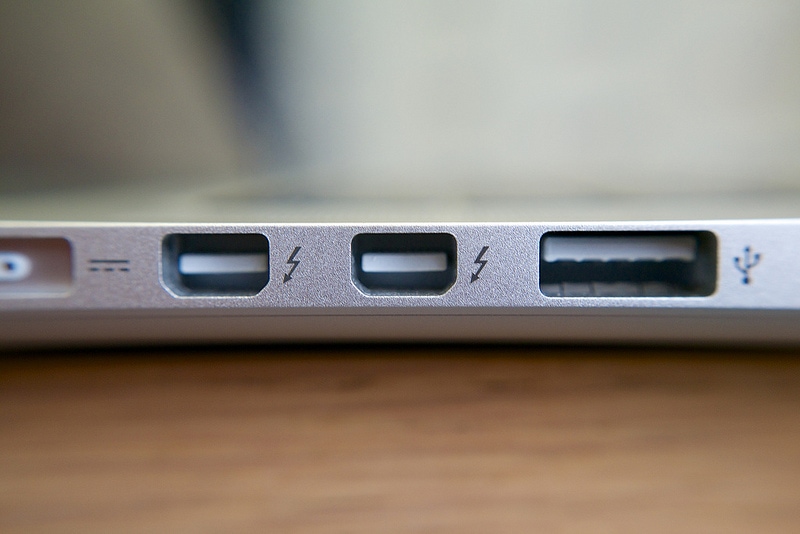
Thunderbolt 2.0

The initial instance of Thunderbolt was impressive enough, with those who do a lot of uploading or other work with peripheral devices marveling at the speed and functionality offered via a Thunderbolt port. Whether you’re craving the ability to upload RAW format photos at a high rate of speed or need to daisy chain multiple devices, Thunderbolt is up for the challenge. It’s a distinct possibility that the new MacBook Pro will feature Thunderbolt 2.0, the latest iteration of this powerful technology, thus supporting 4K video as well as supporting DisplayPort 1.2. For anyone who relies on a graphics-intensive computing experience, whether it’s for professional use or heavy game play, the upgrade to Thunderbolt 2.0 is just another reason why the new MacBook Pro is worth waiting for.

MacBook Pro 2013 Thunderbolt 2.0
Thunderbolt 2.0 – Flickr / Janitors

There is little doubt that the current MacBook Pro (Late, 2013), and especially the Pro Retina, provides exceptional computing experiences that extend beyond the needs of most computer users. We can easily pack in a briefcase a light, easily portable computer with technology that is equal to or better than many desktop models. However, for those who require the latest technology, storage capacity and capability, stories indicate that the new MacBook Pro is up to the challenge and worth having a little patience for.